

Most American IT managers overseeing global technology teams know that choosing the right support model can make or break operational efficiency. When remote work expands across countries from Canada to Germany, the need to balance desk support’s rapid digital problem-solving with field support’s hands-on technical expertise becomes crucial. This article offers clear, actionable insights to help decision-makers precisely match support models with organizational needs, driving smarter resource allocation and improved user satisfaction.
Defining Desk Support and Field Support
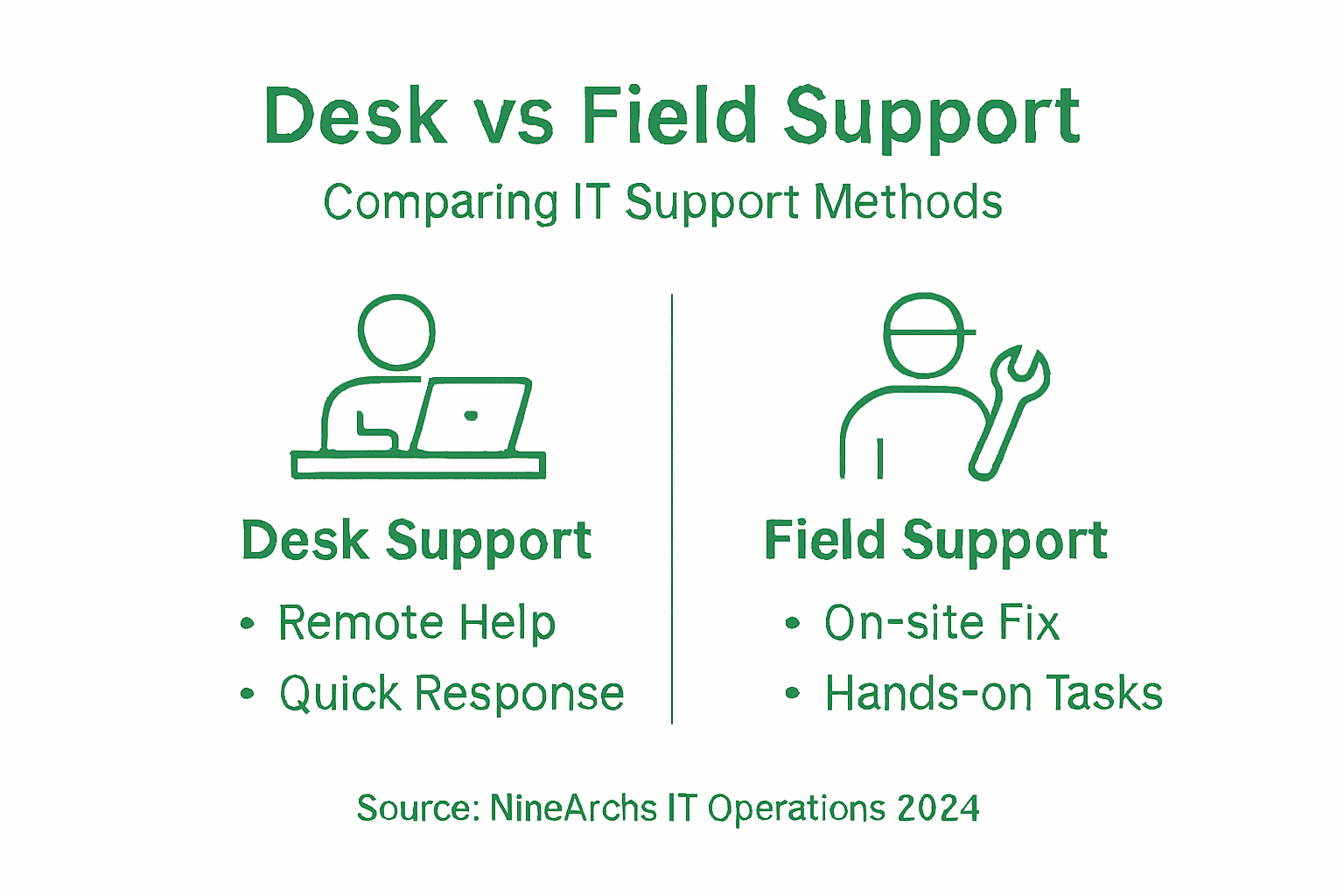
In the complex ecosystem of IT operations, desk support and field support represent two critical approaches to technical assistance that solve user problems through distinctly different strategies. Desk support provides remote technical intervention utilizing existing data, communication technologies, and digital troubleshooting methods from a centralized location. This approach allows IT professionals to address technical issues efficiently without physical presence, leveraging tools like remote desktop connections, chat support, and comprehensive digital knowledge bases.
Field support, by contrast, focuses on direct, on-site technical intervention requiring physical presence and hands-on hardware maintenance. When remote troubleshooting methods prove insufficient, field support technicians travel to client locations to perform complex repairs, conduct hardware diagnostics, install equipment, and resolve technical challenges that cannot be addressed through digital channels. These professionals carry specialized tools, replacement components, and deep technical expertise to solve problems requiring immediate physical interaction.
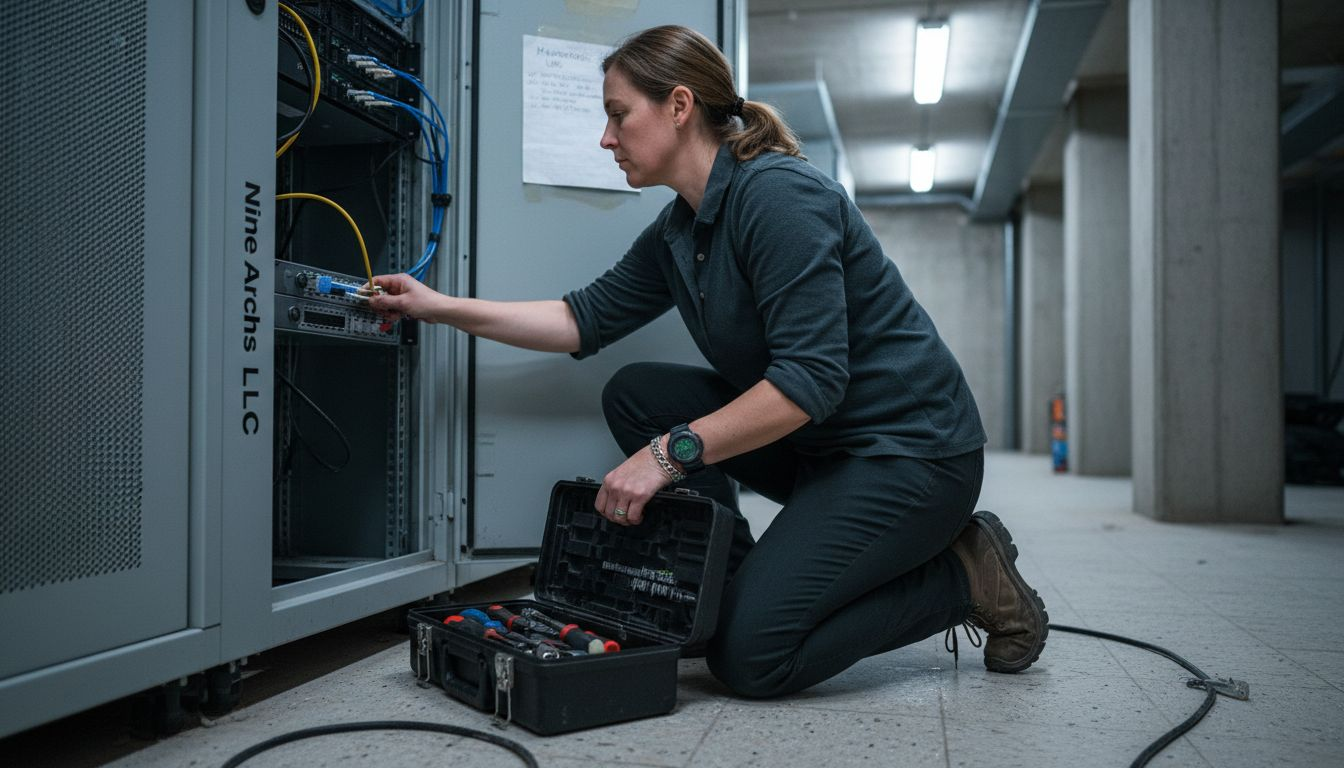
Both support models are complementary, addressing different dimensions of technical problem resolution. While desk support emphasizes speed, digital efficiency, and cost-effectiveness, field support provides critical hands-on solutions for complex technical scenarios that demand direct intervention. Organizations typically deploy a hybrid approach, strategically utilizing desk support for routine issues and field support for specialized technical challenges that require physical presence.
Pro tip: Develop a clear escalation protocol that defines precise conditions for transitioning from desk support to field support to optimize response times and resource allocation.
The following table illustrates business scenarios best suited for desk support, field support, or a hybrid model:
| Scenario Type | Desk Support Advantage | Field Support Advantage | Hybrid Model Use Case |
|---|---|---|---|
| Large remote workforce | Rapid response | Limited value | Routine support rapid, onsite rare |
| Highly distributed offices | Basic troubleshooting | Essential for hardware | Desk screens out simple issues |
| Complex hardware installations | Limited capability | Critical intervention | Hybrid for seamless escalation |
| Centralized headquarters | Very efficient | Occasional need | Desk as primary, field ad-hoc |
Deployment Models and Key Responsibilities
Desk support and field support deployment models represent sophisticated strategies for managing technical assistance across different organizational contexts. Desk support deployment typically occurs in a centralized, controlled environment where technicians provide comprehensive user assistance through digital channels. This model focuses on resolving technical challenges using remote communication tools, digital diagnostics, and comprehensive knowledge management systems that enable rapid problem resolution without physical intervention.
Field support deployment, in contrast, requires a more dynamic and mobile approach. Technicians in this model must be prepared to travel directly to client locations, carrying specialized equipment and diagnostic tools to address complex technical challenges that cannot be resolved through remote methods. Their responsibilities extend beyond traditional troubleshooting to include complex hardware installations and on-site system customizations that demand direct physical interaction and specialized technical expertise.
The key responsibilities for each deployment model differ significantly. Desk support professionals primarily focus on:
- Diagnosing software and connectivity issues
- Providing remote technical guidance
- Managing digital support tickets
- Maintaining comprehensive technical documentation
Field support professionals, however, must be equipped to handle more complex technical interventions, including:
- Performing physical hardware repairs
- Conducting on-site system upgrades
- Installing network infrastructure
- Providing direct client training and technical consultation
Pro tip: Develop cross-training programs that allow technicians to gain expertise in both desk and field support models to enhance organizational flexibility and technical resilience.
Skill Sets and Required Qualifications
Technical skills form the foundation of both desk support and field support roles, with nuanced variations that distinguish these critical IT support functions. Desk support professionals require comprehensive digital technical expertise, focusing on software troubleshooting, network diagnostics, and remote problem resolution. These technicians must demonstrate profound proficiency in operating systems, network configurations, and digital communication platforms that enable efficient remote technical assistance.
Field support roles demand a more diverse and physically demanding skill set. While maintaining similar baseline technical knowledge, these professionals must excel in hands-on hardware interventions, complex equipment installations, and on-site technical problem solving. Certification pathways for these roles typically include advanced technical credentials that validate both digital and physical technical competencies.
Critical skill requirements for each support model include:
Desk Support Skill Requirements:
- Advanced software troubleshooting capabilities
- Comprehensive knowledge of remote diagnostic tools
- Strong customer communication skills
- Proficiency in ticketing and documentation systems
- Certifications like CompTIA A+ and Google IT Support Professional
Field Support Skill Requirements:
- Physical hardware repair and installation expertise
- Advanced network infrastructure understanding
- Portable diagnostic equipment management
- On-site client communication and training abilities
- Wireless networking and specialized equipment certifications
- Physical stamina for equipment transportation
Pro tip: Develop a continuous learning strategy that combines technical certification programs with hands-on practical experience to remain competitive in evolving IT support landscapes.
Cost, ROI, and Risk Factors
Financial optimization in IT support models requires a comprehensive understanding of the intricate balance between desk support and field support deployment strategies. The economic landscape of these support models involves complex calculations of direct costs, indirect expenses, and potential revenue impacts. Organizations must carefully analyze the financial implications of each support approach, considering factors such as staffing requirements, technology investments, and operational efficiency.
The Return on Investment (ROI) for desk and field support models varies significantly based on organizational complexity and technological infrastructure. Support service strategies can dramatically influence overall operational costs, with desk support typically offering lower direct expenses due to reduced travel and physical infrastructure requirements. Field support, while more costly, provides critical interventions that cannot be resolved through remote methods, creating value through direct problem resolution and minimizing extended system downtime.
Key Cost and Risk Considerations:
Desk Support Cost Factors:
- Lower personnel transportation expenses
- Reduced physical infrastructure requirements
- Scalable technology investment
- Minimal equipment maintenance costs
- Faster incident resolution times
Field Support Cost Factors:
- Higher travel and transportation expenses
- Specialized equipment investment
- Personnel training for complex interventions
- Extended response time logistics
- Physical asset management costs
Primary Risk Mitigation Strategies:
- Implement robust service level agreements (SLAs)
- Develop comprehensive incident tracking systems
- Create flexible support model hybrid approaches
- Invest in continuous staff training
- Maintain rigorous security protocols
Pro tip: Develop a dynamic cost allocation model that allows for flexible resource redistribution between desk and field support teams based on real-time organizational needs and incident complexity.
Here’s a summary differentiating the primary ROI drivers for each support model:
| ROI Driver | Desk Support Model | Field Support Model |
|---|---|---|
| Cost savings | Lower travel, scalable | High for onsite issues |
| User satisfaction | Fast issue resolution | Direct client interaction |
| System uptime | Rapid incident response | Minimizes complex downtime |
| Resource allocation | Centralized staffing | Flexible technician pool |
Choosing the Right Support for Outsourcing Needs
Strategic outsourcing of IT support requires a nuanced approach that carefully evaluates organizational requirements, technological complexity, and operational constraints. Companies must conduct a comprehensive assessment of their technical infrastructure, user support needs, and budgetary limitations to determine the most appropriate support model. The decision between desk support and field support outsourcing is not binary but requires a sophisticated understanding of each approach’s unique strengths and potential limitations.
Selecting the optimal support strategy demands a holistic evaluation of multiple critical factors. Comprehensive IT support outsourcing involves analyzing technical complexity, geographical distribution of workforce, budget constraints, and the specific nature of technological challenges faced by the organization. Enterprises must develop a flexible framework that can dynamically adapt to changing technological landscapes and evolving business requirements.
Key Considerations for Support Outsourcing Selection:
Desk Support Outsourcing Indicators:
- Predominantly digital work environments
- Centralized technological infrastructure
- Predictable and standardized technical issues
- Limited geographical complexity
- Budget-constrained operational models
Field Support Outsourcing Indicators:
- Distributed workforce and multiple locations
- Complex hardware infrastructure
- Specialized equipment requirements
- High-touch technical intervention needs
- Industries with physical technological dependencies
Evaluation Criteria for Outsourcing Decision:
- Comprehensive technical infrastructure assessment
- Workforce geographical distribution
- Complexity of technical support requirements
- Budget and resource allocation constraints
- Scalability and future technological needs
Pro tip: Develop a hybrid support model that integrates both desk and field support capabilities to maximize flexibility and comprehensive technological coverage.
Streamline Your IT Operations with Expert Desk and Field Support Outsourcing
Understanding when to leverage desk support or field support can transform your IT operations and boost efficiency. The article sheds light on critical challenges like balancing remote troubleshooting with hands-on hardware solutions and optimizing resource allocation. If you struggle with coordinating rapid response for routine digital issues alongside complex on-site interventions, you are not alone. NineArchs LLC offers tailored outsourcing solutions that bridge this gap by combining professionalism, scalability, and cost-efficiency to meet diverse support needs.
Whether you need advanced remote workforce solutions or specialized field support capabilities, our services are designed to reduce downtime and elevate user satisfaction across your infrastructure. Our experienced teams provide seamless integration of desk and field models, backed by strategic consulting and custom software development that aligns perfectly with your operational goals. Learn how to enhance your technical resilience and manage escalating support demands with ease through customized IT outsourcing strategies and expert assistance at every stage.
Ready to optimize your IT support and cut costs while improving service quality?
Connect with NineArchs today to explore a flexible hybrid support model built specifically for your business complexities. Visit Contact Us to take the first step toward a more efficient, responsive IT support ecosystem.
Frequently Asked Questions
What is desk support in IT operations?
Desk support refers to remote technical assistance provided from a centralized location using digital troubleshooting methods, communication technologies, and knowledge bases. This model allows IT professionals to resolve issues efficiently without needing to be physically present.
When is field support necessary?
Field support is necessary when complex technical issues cannot be resolved through remote troubleshooting. This typically involves on-site interventions, such as hardware repairs, installations, and user training, requiring the technician’s physical presence at the client’s location.
How can organizations decide between desk support and field support?
Organizations can decide by assessing their technical infrastructure, user support needs, geographical distribution of their workforce, and budget constraints. A hybrid model can often provide the best balance of both support methods to meet different technical challenges.
What are the primary skills required for desk support professionals?
Desk support professionals typically require skills in software troubleshooting, remote diagnostics, effective customer communication, and proficiency in ticketing systems, along with relevant certifications like CompTIA A+ and Google IT Support Professional.
Recommended
- Master the IT Support Delegation Process for Streamlined Results | NineArchs
- 7 Examples of Support Desk Services for Scaling Businesses | NineArchs
- Mastering IT Support Processes for Efficient Operations | NineArchs
- Complete Guide to IT Support Outsourcing | NineArchs
- Role of WordPress Support: Complete Guide for 2025 – WPCTO