

Nearly 80 percent of American remote employees say unclear communication slows down their work. For HR managers and communication directors in fast-moving tech firms, this reality creates serious obstacles to productivity and team cohesion. Understanding and improving your company’s communication channels is the foundation for a more connected, engaged workforce, regardless of location or time zone.
Step 1: Assess current communication channels and needs
Understanding your remote team’s communication landscape starts with a comprehensive evaluation of your existing workflows and interaction patterns. This critical first step helps you identify gaps, streamline communication processes, and create a more connected virtual workspace.
Begin by mapping out your current communication tools and platforms. Review how your team currently communicates tracking instant messaging apps, video conferencing software, email threads, and project management platforms. Analyze the frequency and effectiveness of interactions in each channel. Pay special attention to how different team members communicate across various roles and departments. Are quick queries happening smoothly? Do strategic discussions feel productive? Look for bottlenecks where information gets delayed or misunderstood.

Gather direct feedback from team members through anonymous surveys or structured interviews. Ask specific questions about communication preferences, challenges they experience with remote collaboration, and suggestions for improvement. Understanding individual perspectives will help you create a more inclusive communication strategy that addresses unique team needs.
Pro tip: Create a communication audit spreadsheet tracking tool usage, response times, and team satisfaction to quantify your current communication ecosystem and identify precise improvement opportunities.
Here’s a quick reference for common remote communication tools and their business impact:
| Tool Type | Example Platforms | Main Benefit | Business Impact |
|---|---|---|---|
| Instant Messaging | Slack, Microsoft Teams | Rapid information exchange | Faster decision making |
| Video Conferencing | Zoom, Google Meet | Real-time face-to-face meetings | Enhanced collaboration |
| Project Management | Asana, Trello | Task tracking and organization | Improved productivity |
| Document Sharing | Google Drive, Dropbox | Centralized file access | Reduced data silos |
| Outlook, Gmail | Formal communication and records | Accountability on projects |
Step 2: Define clear objectives and protocols for communication
Establishing robust communication protocols transforms remote team collaboration from chaotic to strategic. Your goal is to create a comprehensive framework that guides how your team interacts, shares information, and maintains productivity across digital platforms.
Start by documenting communication expectations for different scenarios. Specify which channels work best for specific types of interactions. For urgent matters requiring immediate attention, define real time communication methods like video calls or instant messaging. For detailed project updates or comprehensive feedback, outline when email or shared documentation makes more sense. Create guidelines that clarify response time expectations such as acknowledging messages within 4 hours during work days and specifying which communication channels have priority.
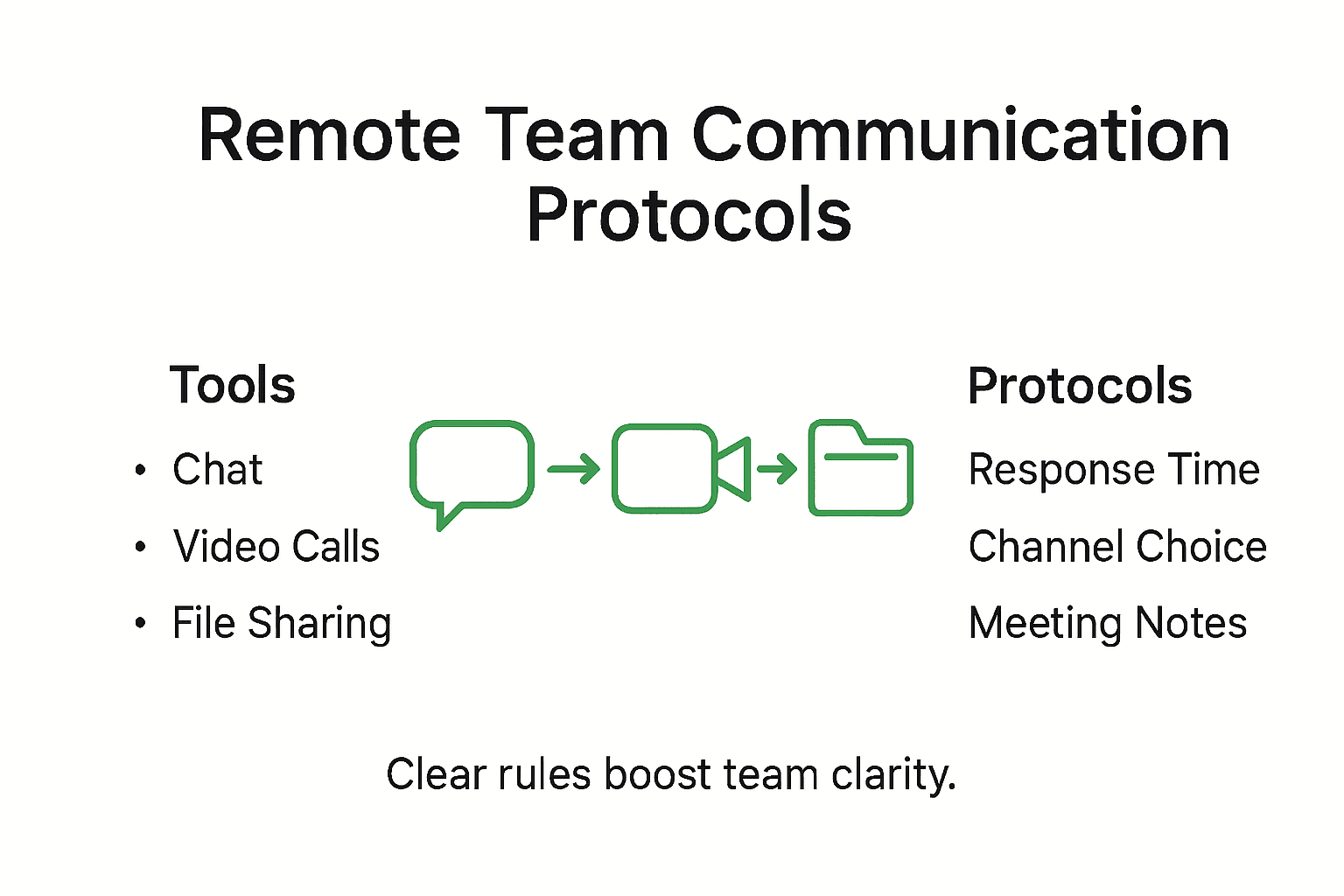
Develop a communication matrix that outlines roles, responsibilities, and interaction protocols. Map out how different team members should communicate based on their specific functions. Include guidelines for cross functional communication, documenting processes for requesting information, escalating issues, and maintaining transparency. Ensure these protocols are accessible to all team members and periodically review them to adapt to changing team dynamics and workflow needs.
Pro tip: Create a one page communication playbook that visualizes your team communication protocols and distribute it to all team members to ensure universal understanding and compliance.
Step 3: Implement targeted digital tools and resources
Selecting the right digital communication tools is critical for creating a seamless and productive remote work environment. Your objective is to choose platforms that enhance collaboration, streamline workflows, and support your team’s unique communication needs across different functions and work styles.
Start by evaluating communication and collaboration platforms that align with your team’s specific requirements. Consider tools that offer integrated messaging, video conferencing, file sharing, and project tracking capabilities. Look for solutions that provide robust features like real time collaboration, secure document sharing, and customizable workflow management. Prioritize platforms that offer intuitive interfaces and compatibility across multiple devices and operating systems. Assess the scalability of these tools to ensure they can grow with your team and adapt to changing communication dynamics.
Implement a phased rollout approach when introducing new digital tools. Begin with a pilot group to test functionality and gather feedback. Provide comprehensive training sessions to ensure all team members understand how to effectively use the new platforms. Create step by step guides and video tutorials to support the transition and address potential learning curves. Monitor tool adoption rates and gather ongoing feedback to continuously refine your digital communication strategy and ensure maximum team engagement.
Pro tip: Select digital tools with robust integration capabilities that allow seamless data exchange between different platforms to minimize manual work and reduce communication friction.
Step 4: Train teams on best practices and etiquette
Training your remote team on communication best practices transforms potential digital interactions into powerful collaborative experiences. Your goal is to create a comprehensive training program that establishes clear expectations, promotes respectful communication, and builds a strong virtual team culture.
Develop a structured training curriculum that covers digital communication etiquette and remote work expectations. Focus on key areas such as response time protocols, appropriate use of communication channels, and maintaining professional interactions in virtual environments. Create interactive workshops that help team members understand how to communicate effectively across different platforms. Address nuanced aspects like managing notification settings, writing clear and concise messages, and recognizing when to use synchronous versus asynchronous communication methods. Include scenarios that demonstrate proper digital communication techniques and provide opportunities for team members to practice and receive feedback.
Implement ongoing education and support mechanisms to reinforce communication best practices. Schedule regular team discussions about communication effectiveness, invite open feedback about communication challenges, and continuously refine your guidelines. Develop a digital handbook that outlines communication expectations, provide recorded training sessions for reference, and create mentorship opportunities where experienced team members can guide newer employees in understanding remote work communication norms. Emphasize the importance of empathy, clarity, and respect in all virtual interactions.
Pro tip: Create short video modules demonstrating effective remote communication scenarios and include real world examples that highlight both successful and problematic communication approaches.
Step 5: Monitor effectiveness and adjust strategies
Tracking the performance of your remote communication strategy is an ongoing process that requires consistent attention and willingness to adapt. Your objective is to develop a systematic approach for evaluating communication effectiveness, identifying potential gaps, and making data driven improvements that enhance team collaboration and productivity.
Implement a comprehensive monitoring framework that combines quantitative and qualitative measurement techniques. Use digital analytics tools to track communication metrics such as response times, message engagement, meeting participation, and tool utilization rates. Conduct regular surveys and structured interviews to gather team feedback about communication experiences, challenges, and suggested improvements. Create a standardized assessment protocol that allows you to collect consistent data across different team segments and compare performance over time. Pay special attention to indicators like team satisfaction, perceived communication clarity, and overall workflow efficiency.
Establish a periodic review process where communication strategies are systematically evaluated and refined. Schedule quarterly meetings dedicated to analyzing communication performance data, discussing team feedback, and identifying potential adjustments. Develop a flexible improvement framework that allows quick iterations of communication protocols. Encourage an open feedback culture where team members feel empowered to suggest refinements and share insights about communication challenges. Be prepared to experiment with new tools, adjust interaction guidelines, and recalibrate communication strategies based on emerging team needs and technological advancements.
Pro tip: Create a dynamic communication scorecard that tracks key performance indicators and provides visual representations of team communication health to facilitate easier decision making and strategy refinement.
Below is a summary of key metrics for monitoring remote communication effectiveness:
| Metric | Description | Why It Matters |
|---|---|---|
| Response Time | Average time to reply to messages | Ensures timely collaboration |
| Engagement Rate | Percentage of active participants | Measures team involvement |
| Meeting Participation | Attendance in scheduled meetings | Identifies collaboration gaps |
| Satisfaction Score | Team rating of communication quality | Guides future improvements |
| Tool Utilization Rate | Adoption levels across platforms | Detects usage barriers |
Enhance Remote Team Communication with Tailored Outsourcing Solutions
Struggling with inconsistent communication protocols and tool overload in your remote team can stall productivity and create costly misunderstandings. This article highlights key challenges like unclear response expectations, tool fragmentation, and the need for continuous training—pain points that can undermine your remote workforce’s efficiency and collaboration. NineArchs LLC specializes in addressing these exact hurdles by providing scalable, reliable virtual assistance and customized IT services that streamline communication workflows and support seamless remote operations.
Take control of your remote communication challenges today. Partner with NineArchs LLC to access professional outsourcing solutions designed to enhance your team’s connectivity, enforce clear protocols, and integrate the right digital tools with expert training. Start transforming your remote workforce into a cohesive, high-performing unit now by contacting us at NineArchs LLC. Unlock the power of tailored support and watch your business grow with confidence.
Frequently Asked Questions
What are the best communication protocols for remote teams?
Establish clear communication protocols by specifying which channels to use for different types of interactions. Document guidelines and share them with all team members to ensure everyone understands expectations and maintains productivity.
How can I effectively assess my team’s current communication landscape?
Start by mapping out the communication tools your team currently uses and evaluating their effectiveness. Gather feedback from team members through surveys or interviews to identify gaps and areas for improvement within 30 days.
What metrics should I monitor to evaluate remote communication effectiveness?
Track key metrics such as response time, engagement rates, and meeting participation. These indicators will help you assess communication health and identify where your strategy may need adjustments over time.
How can I train my team on communication best practices?
Develop a structured training program that includes workshops on digital etiquette and effective communication methods. Include practical scenarios and allow team members to practice these skills for better retention within a few weeks.
How often should I review and adjust my remote communication strategies?
Conduct a quarterly review of your communication strategies to analyze performance data and gather team feedback. This regular assessment will help you refine your protocols and adapt to any changing needs in a timely manner.
What should I include in a one-page communication playbook?
Create a concise communication playbook that outlines your team’s protocols, response time expectations, and preferred communication channels. Distribute this playbook to all team members to ensure universal understanding and adherence.