

Complex workflows can slow even the most ambitious organizations. As operations expand across regions and teams, hidden inefficiencies mount—wasting resources, stretching budgets, and frustrating staff. For mid-sized and large enterprises, adopting workflow optimization means tackling these challenges head-on by refining internal processes, cutting unnecessary costs, and leveraging remote workforce solutions for greater flexibility. This approach sets the stage for higher productivity, stronger IT support, and faster response to ever-changing business demands.
Defining Workflow Optimization in Business
Workflow optimization is the deliberate process of improving how your organization operates. At its core, it means examining your business processes, identifying inefficiencies, and making changes that boost productivity while reducing costs. Think of it like tuning an engine: every part needs to work in harmony for maximum performance. When executed properly, workflow optimization touches everything from how your team communicates internally to how you manage supply chains, handle hiring, and execute daily operational tasks.
The concept sits at the heart of Business Process Management (BPM), a systematic approach that treats your business processes as critical assets requiring continuous development. Rather than accepting “that’s how we’ve always done it,” organizations committed to workflow optimization actively model, measure, and refine their operations. This means looking at each activity flow within your business and asking: Does this add value? Can we do this faster? Where are the bottlenecks? By treating workflows as living systems that evolve with your business needs, you create an environment where efficiency becomes the baseline rather than an occasional achievement.

In practice, workflow optimization works across multiple dimensions. Companies leverage data analysis, automation technologies, and strategic process redesign to achieve their goals. A manufacturing firm might optimize its production workflow by reducing handoffs between departments. A financial services company might implement digital approvals instead of manual sign-offs. A customer service operation might use intelligent business automation tools to route inquiries to the right team member faster. Each scenario looks different because each business operates differently, but the underlying principle remains constant: continuous improvement aligned with your strategic objectives.
The real power of workflow optimization becomes apparent when you measure results. Organizations that systematically optimize their workflows typically see improvements across multiple metrics simultaneously. Operational efficiency increases because redundant steps disappear. Employee productivity rises when team members spend less time on administrative tasks and more time on high-value work. Costs decrease through waste elimination and resource consolidation. Quality improves because standardized, optimized processes produce more consistent outcomes. And perhaps most importantly for competitive advantage, cycle times shrink, meaning your organization responds to market changes and customer needs faster than competitors still relying on outdated workflows.
Pro tip: Start your workflow optimization journey by mapping one complete process from start to finish, documenting every step including wait times and handoffs, then identify the single largest bottleneck to eliminate first rather than trying to overhaul everything simultaneously.
Key Strategies and Automation Methods
Successful workflow optimization requires a strategic approach combining process redesign with intelligent automation. The most effective organizations don’t simply add technology to existing broken processes. Instead, they first understand what they’re trying to achieve, then select automation methods that actually address their specific bottlenecks. This distinction matters enormously because automating a poorly designed workflow only makes the poor design faster.
There are several proven automation methods that organizations use depending on their operational complexity and goals. Robotic Process Automation (RPA) handles repetitive, rule-based tasks that currently consume employee time. Imagine your accounts payable team manually matching invoices to purchase orders and receipts. RPA robots can execute this task 24/7 without errors, freeing your team to focus on exceptions and vendor relationships instead. Workflow scheduling supported by advanced analytics helps organizations optimize when and how tasks execute for maximum efficiency. A customer service center might use predictive scheduling to automatically adjust staffing levels based on incoming call volume patterns. AI-powered integration tools connect disparate systems so data flows seamlessly between applications without manual data entry. When your CRM automatically syncs with your accounting software without human intervention, you eliminate data silos and reduce transcription errors.
Cutting-edge approaches are pushing workflow automation further using artificial intelligence and machine learning frameworks. These systems can analyze your existing workflows, identify patterns, and suggest optimizations that humans might overlook. Rather than rigid, pre-programmed automations, these intelligent systems continuously learn from execution data and refine their approach. For instance, instead of manually configuring customer routing rules, AI observes which team members handle which types of inquiries most effectively and automatically adjusts routing to match actual performance patterns. Organizations implementing business process automation across their operations report significant reductions in cycle time, fewer errors, and measurable increases in employee satisfaction as staff transition from administrative work to strategic responsibilities.
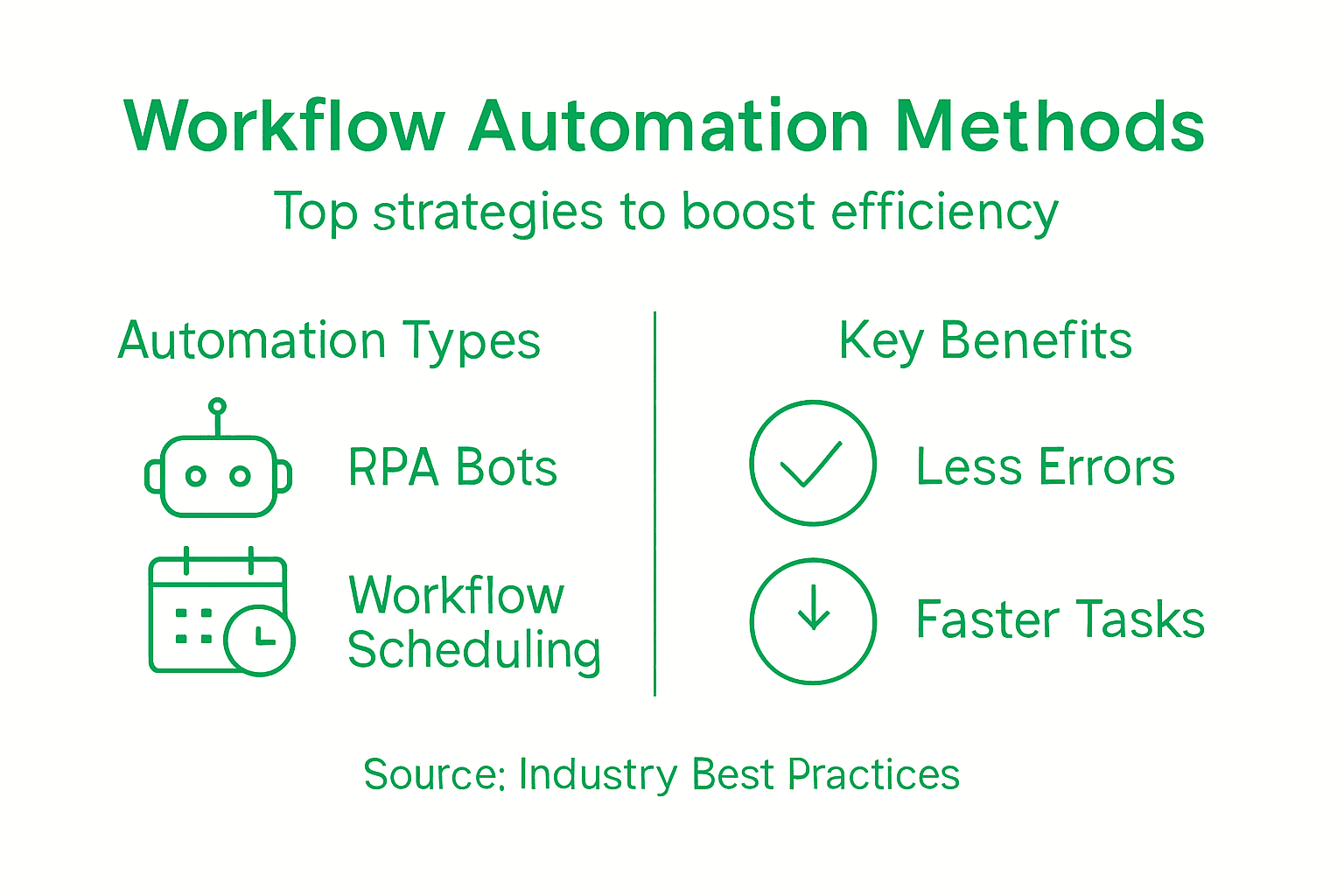
Here’s a comparison of common workflow automation methods and their unique business impacts:
| Automation Method | Typical Use Case | Key Benefit |
|---|---|---|
| Robotic Process Automation (RPA) | High-volume, repetitive tasks | Eliminates manual errors |
| Scheduled Workflow Automation | Staffing and resource allocation | Optimizes task timing |
| AI-Powered Integration | Connecting multiple business systems | Reduces data silos |
| Machine Learning Optimization | Adapting workflow based on real outcomes | Drives continuous learning |
The implementation strategy matters as much as the technology selection. Start with high-impact, low-complexity processes where you can demonstrate quick wins and build organizational confidence in automation initiatives. A financial services firm might automate employee expense report processing before tackling more complex supplier onboarding workflows. Document your baseline metrics before automation begins so you can quantify actual improvements in processing time, error rates, and cost per transaction. Build automation incrementally rather than attempting enterprise-wide transformation overnight. This approach lets you learn what works in your specific organizational context, train your team gradually, and adjust your strategy based on real results rather than assumptions. The teams that succeed with workflow optimization treat it as continuous improvement rather than a one-time project.
Pro tip: Audit your current processes to identify which tasks take the most time, cause the most errors, or frustrate employees the most, then prioritize automating those first to demonstrate clear ROI and build momentum for larger optimization initiatives.
Types of Workflow Optimization Solutions
Workflow optimization solutions come in many forms, each designed to address different operational challenges and organizational scales. Some organizations need lightweight tools to coordinate small team projects, while others require enterprise-grade systems managing thousands of concurrent processes across distributed locations. Understanding the different solution types helps you match your actual needs with the right technology rather than paying for features you’ll never use or settling for systems that won’t scale as you grow.
Project and task management platforms represent one of the most accessible entry points into workflow optimization. Tools like monday.com, Asana, Jira, and Trello function as collaborative hubs where teams define tasks, assign ownership, track progress, and communicate about work. What makes these effective for workflow optimization is their ability to enforce standard processes through customized workflows, automated repetitive activities, and visibility into bottlenecks. A marketing team might use these platforms to standardize how campaign approvals flow through creative, compliance, and leadership reviews. An engineering team might enforce code review processes before tasks move to deployment. These platforms integrate with your existing digital tools, so information flows between your email, storage systems, and communication apps without manual reentry. They work particularly well for organizations managing multiple concurrent projects with distributed team members who need visibility into deadlines and dependencies.
Workflow management systems (WfMS) operate at a more sophisticated level, providing the infrastructure that powers automated business processes. Unlike project management tools where humans drive workflow progression, WfMS automatically route tasks to the right people or systems based on predefined rules and conditions. They handle task execution, track progress, and maintain audit trails showing exactly how each process was handled. These systems excel in back office operations where volume is high and consistency is critical. A financial institution might use WfMS to automatically route loan applications through underwriting, compliance review, and approval based on application characteristics. A healthcare provider might use WfMS to automatically sequence patient intake, insurance verification, clinical assessment, and billing processes. Manufacturing operations use WfMS to orchestrate complex sequences involving human workers, automated machinery, quality checks, and inventory management. IT workflow automation solutions power everything from change management to incident response, ensuring consistent handling of hundreds of daily requests across distributed teams.
The core difference between these solution categories matters. Project management tools put humans in control of workflow progression but provide excellent visibility and collaboration. WfMS automatically execute workflows based on rules but require more sophisticated setup and ongoing tuning. Many organizations use both. They might deploy project management tools for knowledge work requiring human judgment and collaboration while implementing WfMS for high-volume, repetitive processes where consistency matters more than flexibility. A customer service operation might use a project management platform to track complex customer escalations requiring creative problem solving while simultaneously using WfMS to automatically route routine inquiries to the correct department and generate templated responses. The best workflow optimization strategy combines the right solutions rather than forcing all workflows into a single tool type. Consider your process volume, consistency requirements, team distribution, and integration needs when selecting solutions. A startup team with ten members coordinating five concurrent projects needs entirely different tooling than a mid-market firm processing fifty thousand monthly transactions across three time zones.
To help choose the right workflow solution, see this summary comparing platform types:
| Solution Type | Human Involvement | Best For |
|---|---|---|
| Project Management Tools | High (manual task movement) | Collaborative knowledge work |
| Workflow Management System | Low (automated execution) | Large-scale, rules-based operations |
| Hybrid Approach | Variable | Mixed workflows with diverse requirements |
Pro tip: Before selecting any workflow optimization solution, map three of your most critical processes, count the annual volume for each, and measure the current time and cost per transaction, then use those baseline metrics to evaluate whether commercial platforms, custom development, or a hybrid approach will deliver the best return on investment.
Common Challenges and Mistakes to Avoid
Workflow optimization initiatives fail more often due to organizational missteps than technical limitations. You can have the best automation tools available, but if your team resists the changes or leadership withdraws support halfway through implementation, the entire effort collapses. Understanding the most common pitfalls and how to avoid them dramatically increases your chances of actually achieving the efficiency gains you’re targeting rather than spending resources on projects that produce minimal results.
Resistance to change represents the single biggest obstacle most organizations face. Your employees have developed habits and routines around current workflows. Even when those workflows are inefficient, they’re familiar. When you announce that work will flow differently, people naturally worry about job security, fear they’ll struggle with new systems, or resent disruption to their established routines. This resistance manifests as slow adoption, workarounds that undermine the new process, or outright refusal to use new tools. The mistake most leaders make is underestimating this resistance or treating it as something that will fade naturally over time. Instead, successful organizations invest heavily in clear communication explaining why optimization is happening, what benefits employees will experience personally, and how they’ll be supported through the transition. When a data entry team learns that automation will eliminate their most tedious tasks and they’ll instead focus on quality assurance and exception handling, they often become your strongest advocates rather than resisters.
Another critical failure point is inadequate leadership engagement. Workflow optimization requires resources, decisions, and organizational attention. When leaders treat optimization as an IT project they delegate to a department rather than a business priority they personally champion, the initiative loses momentum when obstacles appear. Scope creep quietly expands the project beyond its original boundaries. Resource requests get denied. Conflicting priorities pull people away from optimization work. You end up with abandoned systems, incomplete implementations, and frustrated teams. Similarly, poor process selection leads to wasted effort. Organizations sometimes select processes to optimize based on visibility or convenience rather than impact. You might spend months optimizing a process that affects five employees while ignoring a process that touches hundreds of transactions daily. Before starting any optimization initiative, measure the actual impact: how many people does this process affect, how much time does it consume annually, what errors occur, and what is the financial impact of those errors. This data drives intelligent prioritization.
Inadequate training and data management create downstream problems that undermine otherwise solid optimization efforts. When employees aren’t properly trained on new systems and processes, they revert to old habits or create unstandardized variations. A workflow that was designed to operate consistently becomes chaotic because people execute it differently based on incomplete understanding. Poor data collection means you can’t measure whether optimization actually worked. You might implement automation but lack baseline metrics showing how much faster the process became or how many errors decreased. This makes it impossible to justify continued investment or identify where additional optimization is needed. Organizations that succeed establish clear training protocols before go-live, measure performance before and after implementation, and maintain those performance metrics over time. They also recognize that scope creep, while sometimes unavoidable, requires active management. Every time someone suggests adding functionality or modifying requirements, you evaluate the impact on timeline and resources rather than assuming you can accommodate it within existing constraints.
Pro tip: Document your current process metrics (cycle time, error rate, cost per transaction, staff hours required) before implementing any changes, then measure the identical metrics quarterly for two years after implementation to quantify actual improvements and identify optimization opportunities you might have missed in initial planning.
Integrating Remote Workforce and Outsourcing
Workflow optimization reaches its full potential when you strategically integrate remote workforce solutions with outsourcing strategies. This integration isn’t simply about hiring people who work from home or shifting tasks to external vendors. Rather, it’s about fundamentally rethinking how work gets distributed, coordinated, and executed across organizational and geographic boundaries. Modern technology now enables this integration in ways that weren’t possible a decade ago, but success requires deliberate planning around communication, cultural fit, and operational alignment.
The convergence of remote work and outsourcing creates powerful operational advantages. When you understand what a remote workforce actually is and how it functions differently from traditional office-based teams, you can design workflows that leverage these differences strategically. A customer service operation might outsource routine inquiries to a remote team in a different timezone, ensuring continuous coverage while your internal team focuses on complex escalations and strategy. A software development company might maintain core product development internally while outsourcing infrastructure maintenance, testing, and documentation to remote specialists. A financial services firm might handle client relationships internally while outsourcing back-office data processing and compliance documentation to remote outsourced teams. The key insight is that remote outsourcing teams can excel at specific, well-defined processes while your core team concentrates on activities requiring deep institutional knowledge, relationship building, or strategic decision-making. This division of labor, when executed well, increases overall organizational efficiency while reducing costs.
However, integrating remote and outsourced workers successfully requires addressing the barriers that often derail these initiatives. Communication becomes exponentially more complex when team members work across multiple timezones, organizations, and cultures. A process that works smoothly when your team sits together in an office might completely break down when executed across remote boundaries without intentional redesign. Written documentation becomes critical because you can’t simply walk over to ask a question. Standard operating procedures need obsessive detail rather than loose guidelines. Performance tracking must be rigorous because you can’t directly observe work completion. The research shows that initial in-person training dramatically improves long-term remote outsourcing effectiveness, so consider bringing remote team members on-site during onboarding rather than starting with purely virtual training. This investment in relationship building and direct knowledge transfer pays dividends over months and years of remote collaboration.
The organizational and managerial changes required are often more significant than the technological changes. You must establish clear ownership, defined escalation paths, and transparent performance metrics. Tools enable remote collaboration, but cultural alignment makes it work. When a remote outsourced team member encounters a situation not covered by documented procedures, they need to know how to escalate it, when they’re authorized to make decisions independently, and what happens if something goes wrong. Organizations that treat outsourced remote workers as true partners in workflow execution, rather than cost-center replacements, achieve dramatically better outcomes. They invest in training, provide growth opportunities, and involve remote teams in process improvement conversations. This investment matters because workflow optimization is continuous. Your processes will need refinement, your procedures will need updating, and your team needs to spot inefficiencies and surface improvement ideas. Remote outsourced teams who feel disconnected from organizational goals and strategy tend to execute exactly what they’re told while missing opportunities to optimize. Those who feel invested in success become your most valuable sources of practical improvement suggestions.
Pro tip: When integrating remote outsourcing into a workflow, establish a communication protocol documenting expected response times across timezones, escalation triggers, and how decisions get made, then test this protocol with a small, non-critical process before expanding to high-volume or mission-critical workflows.
Unlock Operational Excellence with Expert Workflow Optimization Support
Workflow optimization often faces challenges like resistance to change, inefficient process selection, and the complexity of integrating remote workforces. If you want to reduce cycle times, cut costs, and boost productivity through smarter workflows and intelligent automation, NineArchs LLC offers tailored outsourcing solutions designed to bring your business efficiency to the next level. By leveraging our expertise in business process outsourcing, virtual assistance, and IT-driven remote workforce services you can eliminate bottlenecks and empower your teams to focus on high-value work.
Take action today and choose a partner who understands the critical need for continuous workflow improvement and seamless remote workforce integration. Visit NineArchs Contact to connect with our experts and start crafting customized solutions that align with your strategic goals. Don’t wait for inefficiencies to slow your growth—optimize now with proven, scalable services designed specifically for dynamic, mid-sized to large businesses.
Frequently Asked Questions
What is workflow optimization in business?
Workflow optimization is the process of improving organizational operations by examining business processes, identifying inefficiencies, and making changes to boost productivity and reduce costs. It involves a continuous approach to enhance how work is done within an organization.
What are the key strategies for effective workflow optimization?
Effective workflow optimization combines process redesign with intelligent automation. Organizations should understand their goals, select appropriate automation methods, and start with high-impact, low-complexity processes to demonstrate quick wins and build confidence in automation initiatives.
How can automation tools aid in workflow optimization?
Automation tools like Robotic Process Automation (RPA), workflow scheduling, and AI-powered integration can handle repetitive tasks, optimize resource allocation, and ensure seamless data transfer between systems. This allows employees to focus on high-value work and enhances overall operational efficiency.
What common challenges should organizations watch for when optimizing workflows?
Common challenges include resistance to change, inadequate leadership engagement, poor process selection, and insufficient training. To avoid these pitfalls, organizations should communicate clearly about the benefits of optimization, engage leadership in the process, and provide comprehensive training to all staff.